
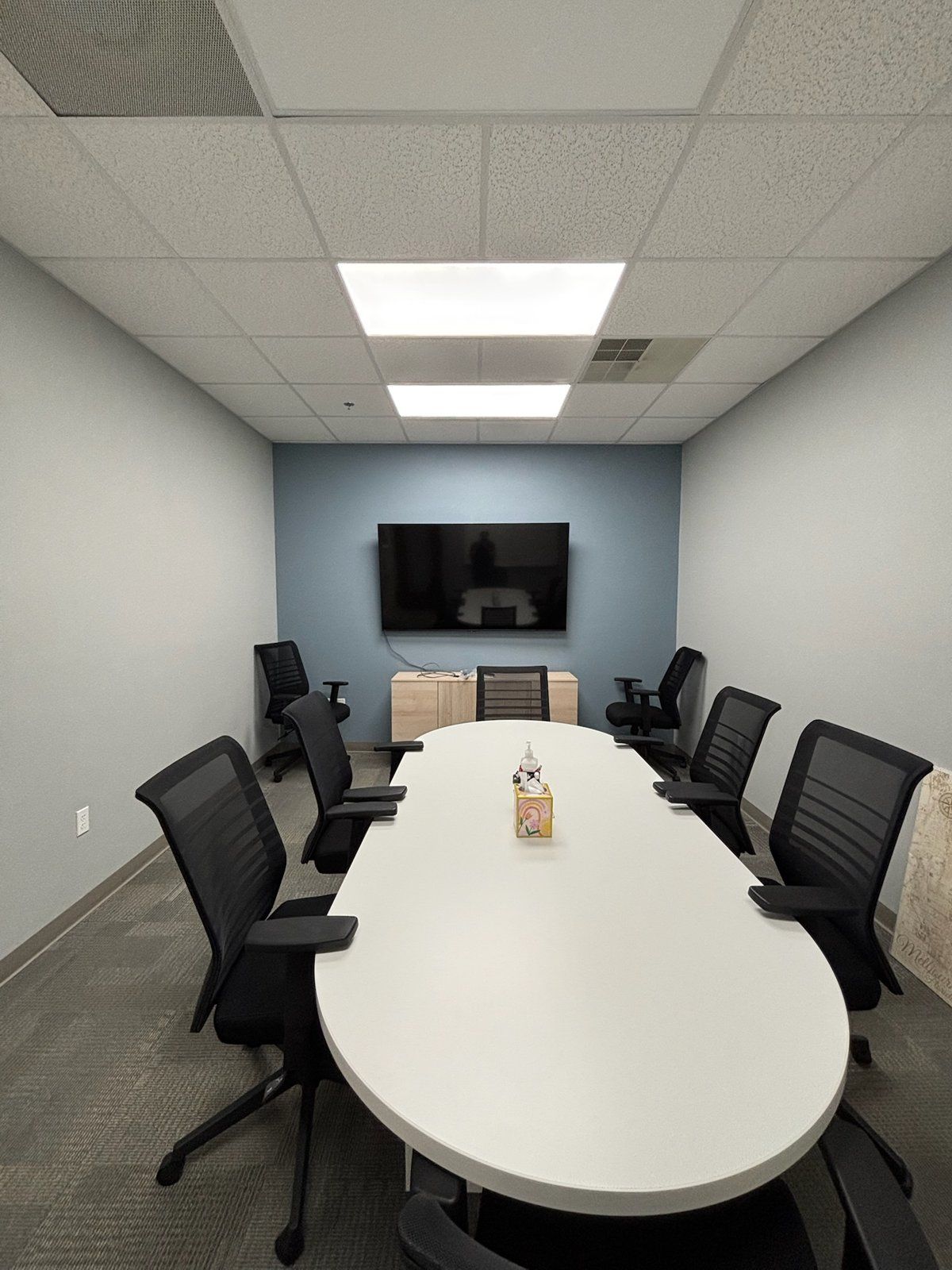
Most conference rooms in Brevard County still run on a laptop, an HDMI cable, and a webcam somebody bought online. It works until the client on the other end asks you to repeat yourself for the third time. If your office sits in the aerospace corridor between Cocoa and Cape Canaveral, supplies L3Harris out of Palm Bay, or handles legal and financial work in downtown Melbourne, the meeting on the screen is often the only impression the other side gets. A certified Microsoft Teams Room or Zoom Room fixes that for less money than most owners expect. This guide covers what actually goes into one.
Microsoft Teams Rooms vs Zoom Rooms: what a certified room system is
A certified room system is a purpose-built appliance that runs Teams or Zoom natively. Nobody plugs in a laptop. You walk in, the meeting is already on the room's calendar, and you tap Join on a small touch controller on the table. Microsoft and Zoom both certify specific hardware, so a Logitech Rally Bar with a Tap controller, a Poly Studio bar, or a Yealink MeetingBar all behave the same way from the user's seat.
Which platform you pick is mostly decided for you. If your company lives in Microsoft 365, you build a Teams Room. If your customers mostly send Zoom invites, you build a Zoom Room. Most certified hardware today can run either one, and both platforms can join the other's meetings as a guest, so the hardware decision doesn't lock you out of anyone.
Why does a certified room beat a laptop and a webcam? Three reasons we see every week:
- The camera frames the people, not the whiteboard behind them. Certified bars auto-frame the group and zoom in on whoever is speaking.
- The microphones are built for a room, not a desk. A webcam mic three feet from the laptop picks up the laptop fan and the HVAC vent more clearly than the person at the far end of the table.
- The meeting starts on time. No dongle hunting, no "can you see my screen," no Windows update installing at 9:00 a.m.
What equipment do you need for a Microsoft Teams Room?
For a four to six person huddle room, the complete build is shorter than most people expect:
- A commercial display. A 55 to 65-inch commercial panel from Samsung, LG, or Sony, rated for 16-hour daily use. Consumer TVs work for a while, then lose their warranty the day they are installed in a business.
- An all-in-one video bar. Logitech Rally Bar Mini, Poly Studio X52, or Yealink A20. Camera, speakers, and mic array in one unit under the display. In a huddle room this beats a separate camera and ceiling mics on both price and reliability.
- A touch controller. The Logitech Tap or its equivalent sits on the table. It's the only thing users ever touch.
- A PoE network drop at the display. The bar and the controller both run on Power over Ethernet, and a wired connection means the room never fights the office Wi-Fi.
- A dedicated AV VLAN. Room systems get their own network segment so a big Friday file upload doesn't stutter the owner's call, and so the devices can be updated and monitored without touching the office computers.
- A Teams Rooms or Zoom Rooms license. The room needs its own resource account so it shows up on the calendar as a bookable room.
We mount the bar on the display bracket, run the controller cable through the table, and hide every wire in the wall. From the user's side there is a screen, a tablet, and nothing else. The room-by-room basics are in our earlier guide, What Does a Professional Conference Room Need?, and the PoE drop and VLAN come from the same crew that handles our commercial networking work.
Looking for reliable IT support in Brevard County? The Electpros serve Melbourne, Palm Bay, Viera, Titusville, and the entire Space Coast with same-day availability. Call (321) 655-PROS or book a free consultation at theelectpros.com.
How a four-person room differs from a twelve-person boardroom
Room size changes the audio first, then the video. In a huddle room, one bar under the display covers everyone. Once the table stretches past about 16 feet, the far seats are too far from the bar's microphones, and the people at the back of the room look like thumbnails on camera.
A boardroom build for twelve usually includes:
- A larger display or a dual-display setup, one for people and one for content, typically 75 to 98 inches.
- A second camera at the far end of the room so remote attendees see faces instead of the backs of heads.
- Ceiling or table microphones (Shure, Sennheiser, or Logitech Rally Mic Pods) with a DSP that handles echo cancellation for the whole room.
- Ceiling speakers so the audio comes from the room, not from one point under the screen.
- A rack or credenza for the compute unit, DSP, and network switch, plus a plan for who applies firmware updates.
The boardroom costs more because there are more pieces, not because the pieces are exotic. A well-planned twelve-person room in Melbourne or Viera lands between $18,000 and $35,000 installed, depending on display count and microphone coverage. A certified huddle room comes in closer to $5,000 to $9,000 all in. Our conference room AV installation page walks through both tiers.
The mistakes that make a $6,000 room sound like a speakerphone
We get called in to fix rooms more often than to build them. The same problems show up every time:
- The bar is mounted too high. A video bar above a 75-inch display looks down on everyone. Mount it under the display, close to seated eye level.
- Glass walls and bare drywall. Hard surfaces bounce sound. One acoustic panel or a rug under the table does more for audio than a more expensive microphone.
- The room runs on Wi-Fi. Every dropout gets blamed on the hardware. Pull the cable.
- Nobody owns the updates. Certified systems update themselves if the network allows it. Block that traffic and the room eventually stops joining meetings.
- The display is a consumer TV still in store demo mode. Set a calibrated picture mode and turn off motion smoothing.
- No resource account. If the room isn't bookable on the calendar, people book it by sticky note, and the Join button has nothing to join.
In the aerospace and defense offices from Cocoa to Cape Canaveral and the L3Harris supplier base in Palm Bay, there's one more. The room has to sit on a network segment that passes the customer's security requirements. That's a configuration job, not a hardware upgrade, and it should be designed in before the first cable is pulled. Our managed IT team handles that alongside the install.
Ready to replace the laptop on the table?
A certified room is a one-time build that pays for itself in meetings that start on time and clients who can hear you. The Electpros design and install Microsoft Teams Rooms and Zoom Rooms for offices in Melbourne, Palm Bay, Viera, Rockledge, and across the Space Coast, from a single huddle room to a full floor of meeting spaces. Call (321) 655-PROS or book a free site visit at theelectpros.com. We'll measure the room, check the network, and give you a fixed quote.