
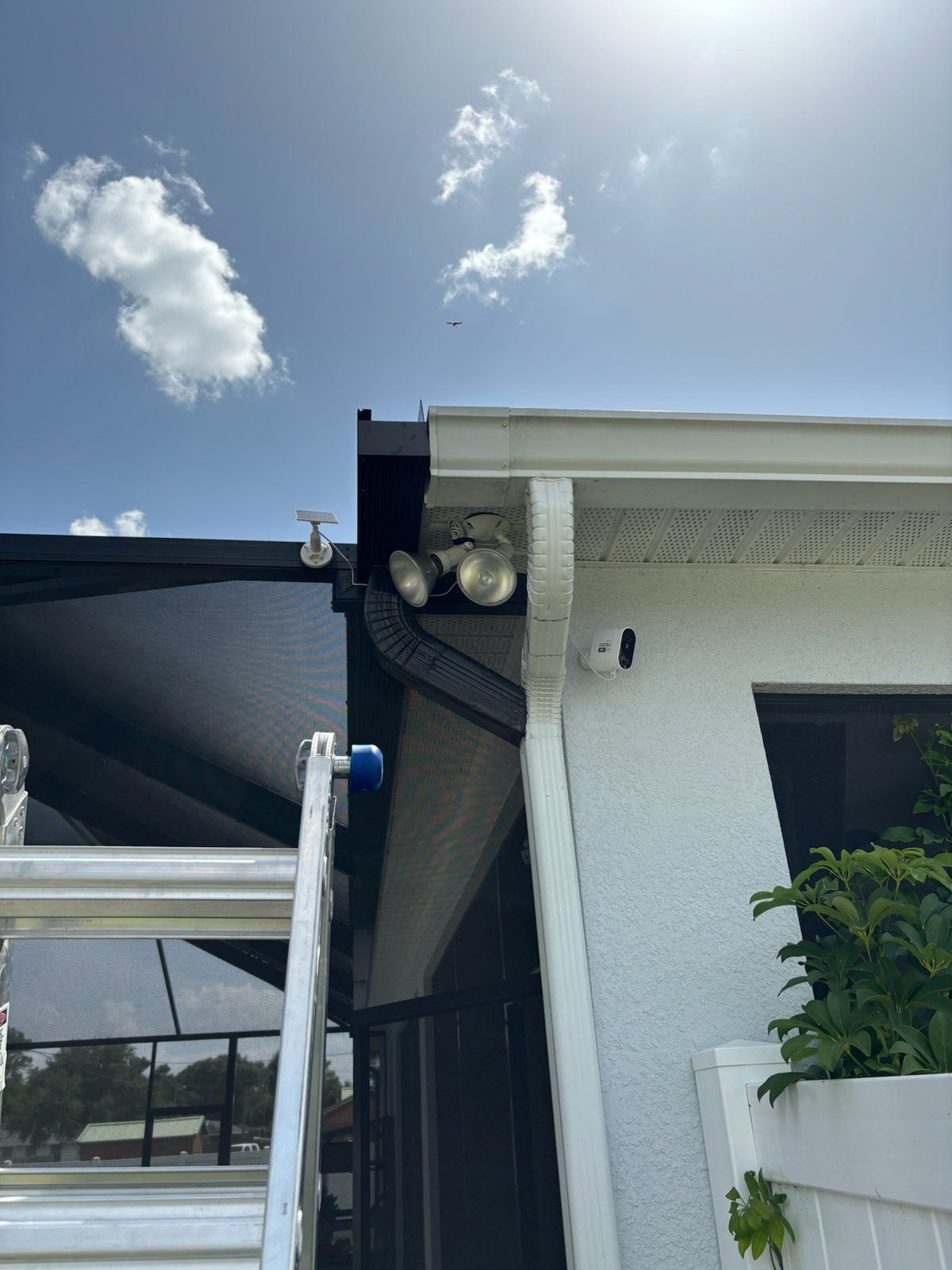
Every November we get the same two calls within a week of each other. One is a seasonal owner back in Satellite Beach who spent the summer wondering whether the canal-side gate was ever actually locked. The other is a family in a brand-new home in Addison Village whose builder ran Cat6 to the eaves and the soffits but never put a camera on any of it. Both of them ask the same question: how many cameras do we actually need, and can they just work with the Wi-Fi we already have?
The short answer is that most Brevard County homes need four to six cameras, and the cameras should not be a separate gadget bolted onto your network. They should be part of it. That is the whole idea behind UniFi Protect, and it is why we install it in so many homes from Viera to Merritt Island.
What a UniFi Protect system looks like in a house
Picture one rack, usually in a closet, the garage or a pantry wall, and everything in the house running through it. A UniFi system for a home has a handful of parts:
- The brain: a UniFi Dream Machine for most homes, or a dedicated UNVR recorder when you want more cameras and more days of storage. This is your router, your controller and your camera recorder in one box.
- A PoE switch that powers the cameras, the ceiling access points and the doorbell over the same Cat6 that carries their video. No wall warts, no batteries to charge.
- The cameras: G6 bullets for the driveway and the long shots down a side yard, G6 domes under the lanai and the entry soffit where you want a wider view and a lower profile.
- The front door: a UniFi doorbell, or an AI Port that lets us bring an existing third-party camera into the same system.
- The access points in the ceiling that give you Wi-Fi in every room and out to the pool deck, managed from the same screen as the cameras.
If the rack idea is new to you, last week's post on moving the fiber ONT to a central rack walks through where that rack goes and how the backbone wiring gets there. The cameras are simply the next thing that plugs into it.
Why the cameras should be the same brand as the network
Most people buy a consumer camera kit, then a separate mesh Wi-Fi kit, then a doorbell from a third company, and end up with three apps, three logins and a router that has been told to open ports it should never open. When the cameras and the Wi-Fi are both UniFi, a few things change:
- One app. Wi-Fi, cameras, doorbell and smart locks all live in the UniFi app, and your spouse or your property manager gets one login.
- No port forwarding. Remote access is handled securely by the system itself, so you never have to poke holes in your firewall to watch the driveway from your phone.
- Local recording. Footage lands on a drive inside your house. When Spectrum drops during an afternoon storm or the fiber line gets cut by a landscaper, the cameras keep recording. You just cannot check in until the internet is back.
- Smart detections that run on the recorder, not in the cloud. The system learns to tell a person, a vehicle, a package and an animal apart, which means it stops alerting you every time a palm frond blows across the lanai at 2 a.m.
- No monthly fee. The recorder is the subscription. Once it is on the rack, you are done paying.
That last point matters more every year. Our home security camera installation work almost always pairs with a home networking cleanup, because a camera system is only as good as the network underneath it. A 4K camera on a flaky Wi-Fi extender is a very expensive way to record nothing.
Ready to put your cameras and your Wi-Fi on one system? The Electpros serve all of Brevard County, from Melbourne and Palm Bay to Viera and Titusville, with same-day and next-day availability. Call (321) 655-PROS or book online at theelectpros.com.
How many cameras a Brevard home actually needs
The box-store kits come in packs of four or eight, which tells you more about packaging than about your house. We plan cameras by what you need to see, and for most homes here that is a short list.
- Driveway: one bullet camera angled to catch plates and faces as cars pull in. This is the one that solves the most problems.
- Front door: the doorbell, plus a dome in the entry soffit if the porch is deep. With holiday deliveries about to stack up on porches from Lamplighter Village to Tropical Trail, this is the view you will check most.
- Lanai and pool: one or two domes under the screen enclosure. Pool safety is the reason most parents and grandparents ask for this one.
- Side gates: one camera per gate. On a Florida lot, the side yard is the path of least resistance, and it is the one nobody watches.
That puts a typical Viera or Suntree pool home at five or six cameras. A riverfront home on Tropical Trail with a dock and a detached garage usually adds two or three more, and the canal homes in Satellite Beach almost always want one pointed at the seawall and the boat lift. An Addison Village new build where the builder already ran Cat6 to the soffits is the easiest job we do: the wire is there, the rack goes in, and the cameras go up in an afternoon.
The snowbird angle: checking the house from the Protect app
If you split the year between here and somewhere colder, a one-platform system is the difference between peace of mind and a dozen notifications you have learned to ignore. From the Protect app you can pull up the lanai after a storm, confirm the pool company actually showed up, watch the pest control tech let himself through the side gate, and see the package the neighbor said they never received. Pair it with a smart lock on the same system and you can let your cleaner in from Ohio without handing out a key. We covered the broader snowbird technology setup last month; the cameras are the piece most owners add first.
One more reason seasonal owners like UniFi: because recording is local, the system does not care whether anyone is logged in. It just keeps a rolling thirty to sixty days of footage on the recorder, so when you fly back in January, the whole quiet stretch is still there if you ever need it.
Existing wire, new wire, or no wire at all
A lot of homes in Melbourne and Palm Bay already have coax or an older camera system's cable in the walls. Sometimes we can reuse it, sometimes we can pull new Cat6 along the same path, and in a finished block home we fish through the attic and down the exterior wall to the soffit. In a new build off Borrego Drive we would rather be there before drywall, but a walkthrough after the fact still works when the builder left usable runs. Either way, the plan is the same: one rack, PoE to every camera and access point, and one app on your phone.
If the only thing you have today is a battery doorbell that keeps going offline, that is a fine place to start. Our video doorbell installation page covers getting it hardwired and onto a network that can actually carry it, and from there the driveway and lanai cameras are an easy add.
The Electpros is a veteran-owned, UniFi Certified Installer based in Palm Bay, serving Melbourne, Viera, Merritt Island, Satellite Beach, Cocoa Beach, Rockledge and Titusville. If you want cameras, Wi-Fi and the front door to finally act like one system, call (321) 655-PROS or book a walkthrough online at theelectpros.com. We will tell you exactly how many cameras your house needs, and where each one should point.